A private daily tracker
Your days,
in one place.
Money, habits, mood, sleep and more, captured in two taps and kept quietly on your phone. Nine modules. No account. No cloud.
Download

Google Play coming soon.
Morning walk
✓
Slept 7h 19m
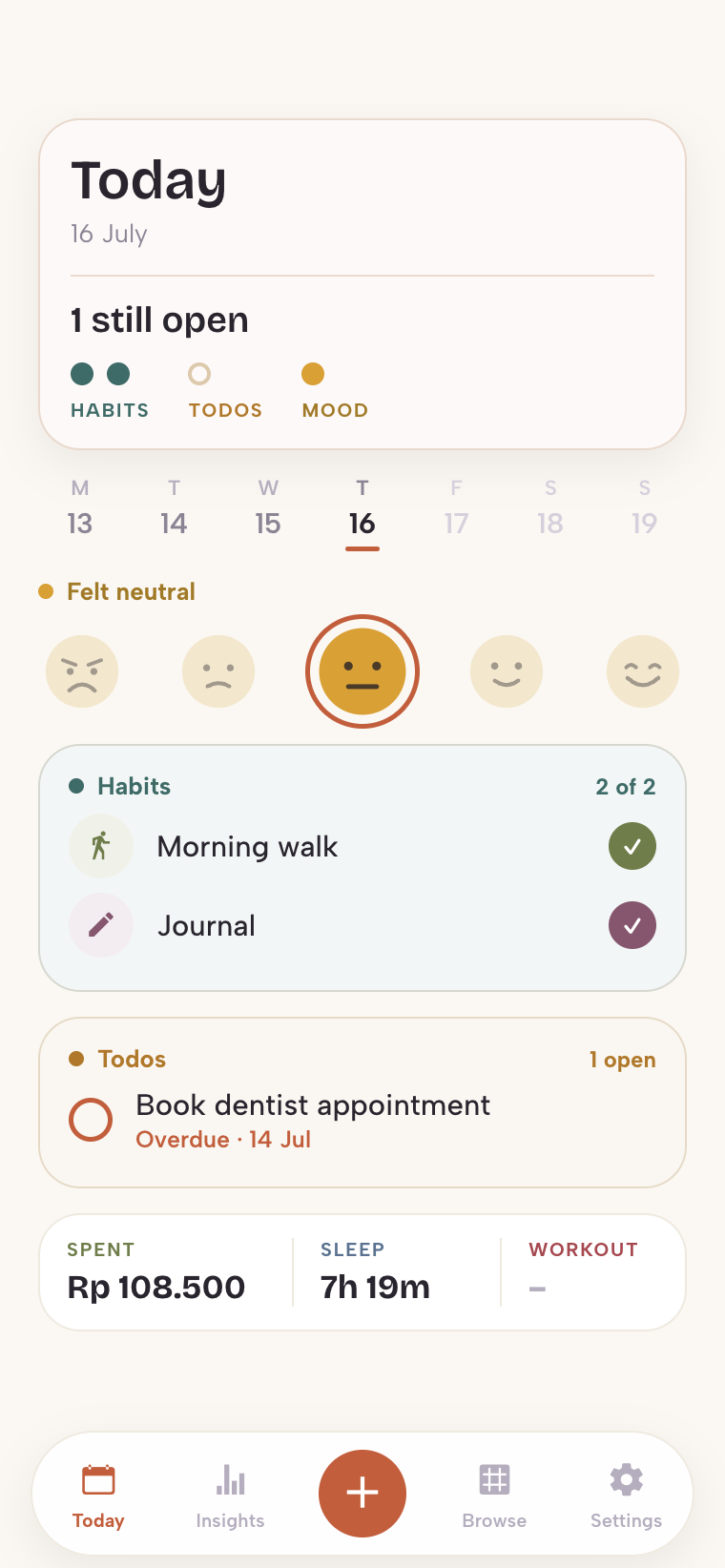
9:41
Everything stays on your device.
Capture anything in two taps. Your record lives in a database on your phone, and nowhere else. Wellkept has nothing to upload, so there is nothing to leak.
The privacy checklist5 of 5
No account
Nothing to sign up for, nothing to sign in to.
✓
No cloud
Your entries never leave the phone they were written on.
✓
No tracking
No analytics, no ads, no third parties of any kind.
✓
Works offline
It never needs a connection to do its job.
✓
Export any time
Save a backup file wherever you choose, on your terms.
✓
One quiet app, whatever you track.
Turn on what you use and hide the rest. Each module keeps its own color and its own small corner of your day.
Money
Spending and income
Habits
Daily and weekly routines
Todos
Tasks and due dates
Shopping
A single running list
Mood
A daily check in
Notes
Anything that is not a number
Sleep
Nights and rest
Fitness
Workouts and weight
Media
What you watch, play, and read
It reads the day back to you.
Browse every tracker in one place, watch patterns surface over ninety days, and open any module for the full picture.
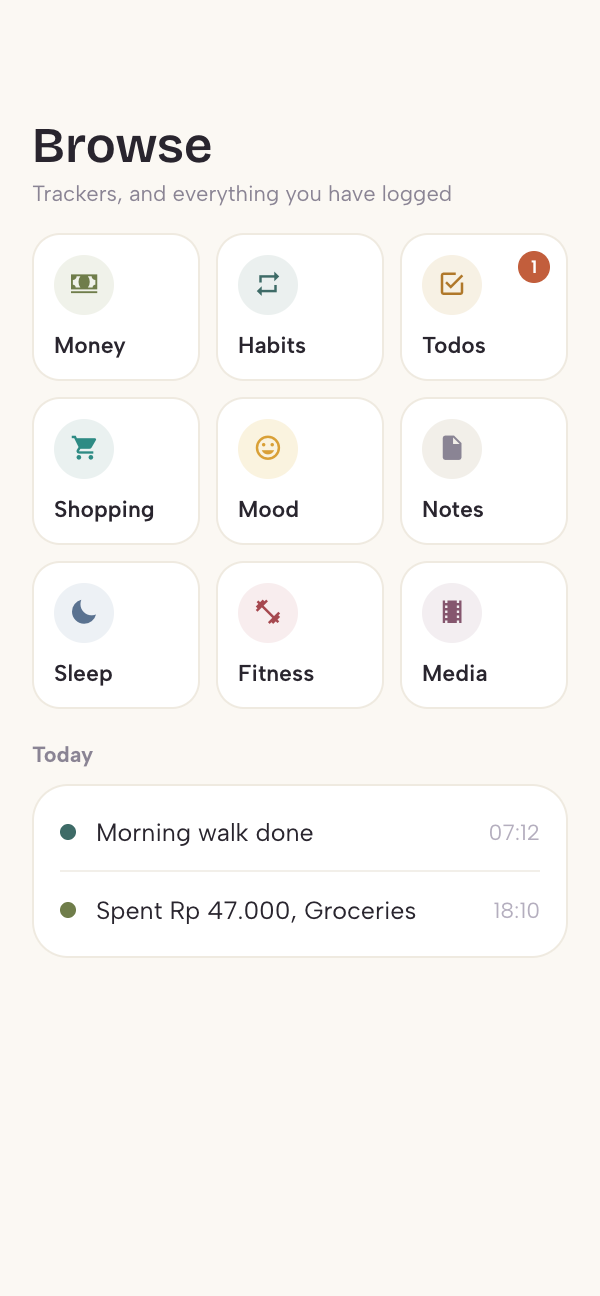
9:41
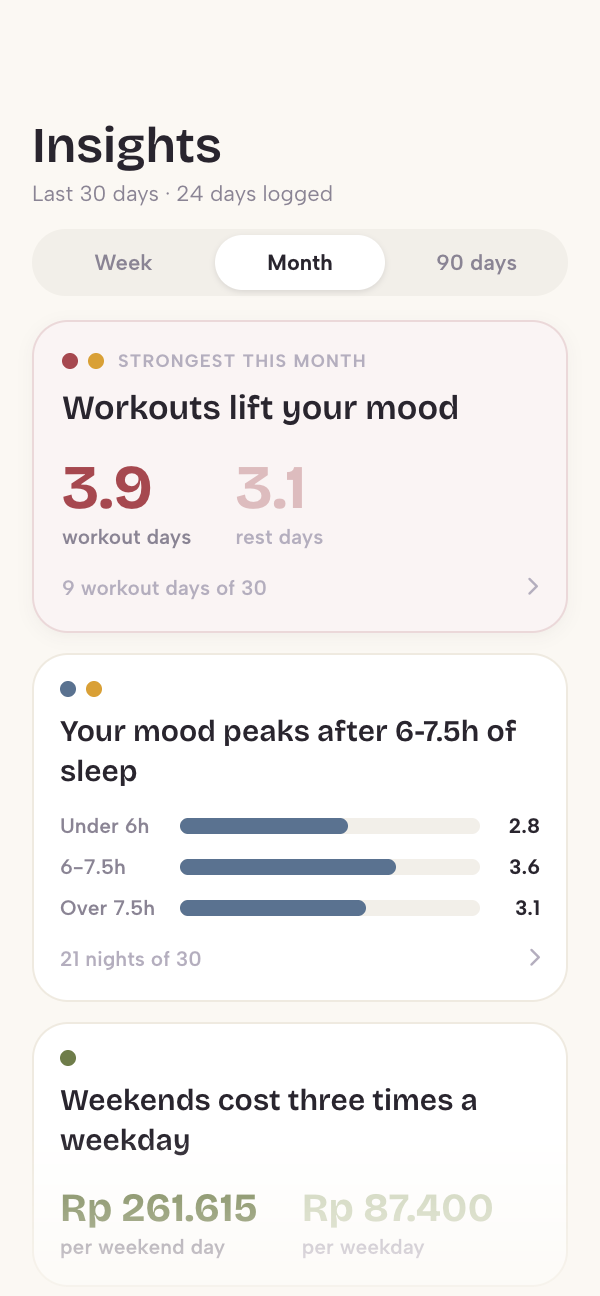
9:41
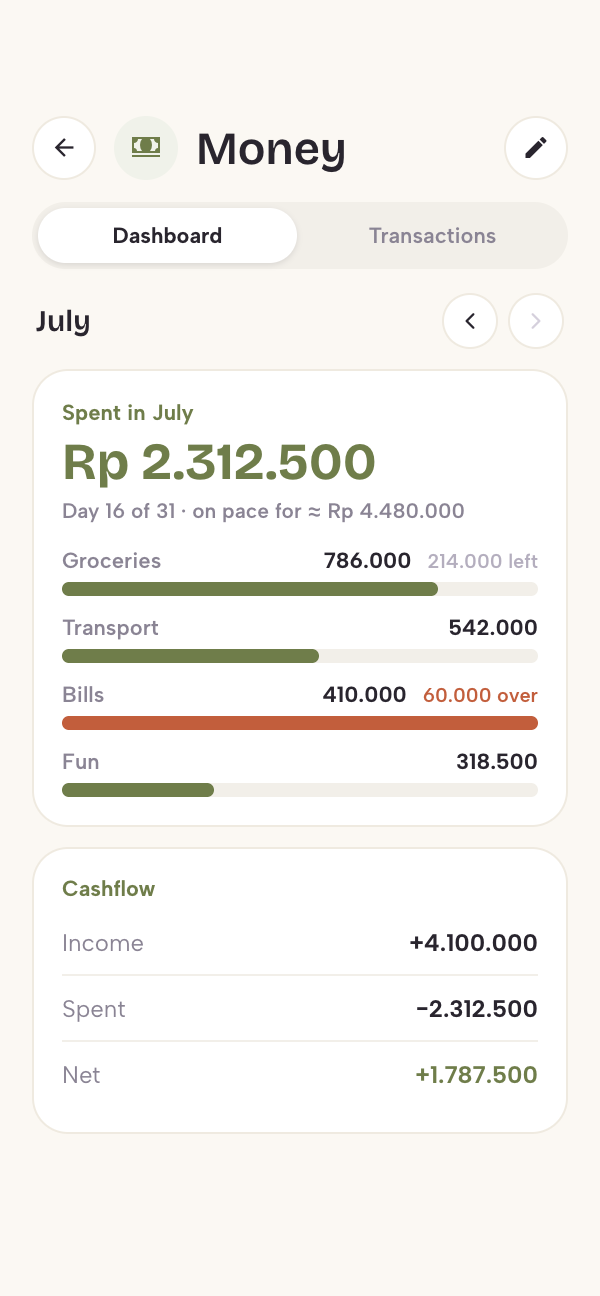
9:41
Seven palettes, three papers, light or dark.
Set the accent that carries navigation and the paper the whole app is printed on. It follows your system into dark mode on its own.
Accents
Dawn Iris
Baked Earth
Evening Lake
Plum Wine
Morning Harbor
Dusk Rose
Blossom
Papers
Cream
Warm Blush
Cool Grey
Modes
Light
Dark
Questions people ask.
Does Wellkept work offline?
Always. It never needs a connection.
If I delete the app, is my data gone?
Yes. Everything lives on the device, so treat a backup as your safety net.
How do I move to a new phone?
Export a backup on the old phone, move the file yourself, and restore on the new one. There is no automatic sync, by design.
Can I change currency or units later?
Yes, both live in Settings. Units switch freely and convert nothing permanently.
A well-kept record of a well-kept life.
Free on the App Store, with Google Play to follow. Nothing you record leaves your phone.
Download on the App Store →